Before You Approve That Print: 9 Mistakes That Can Cost Your Business Money
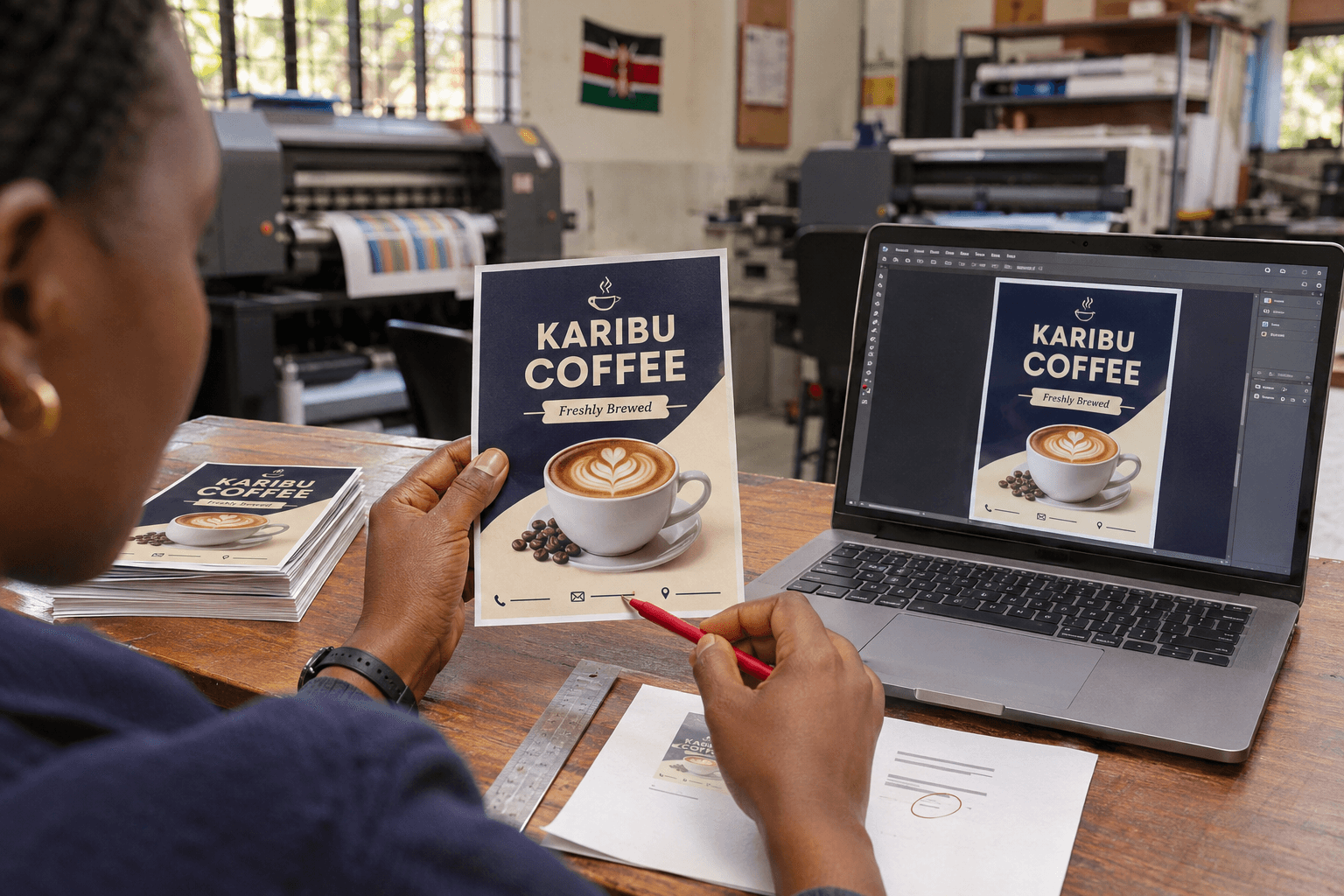
You collect 500 flyers, open the first bundle and spot it: one digit is missing from the phone number.
The colours look good. The paper feels right. But the mistake is on every copy.
It is an easy situation to imagine because print errors often hide in ordinary details: an old logo, an unchecked date, a QR code that nobody tested. By the time someone notices, the job may already be finished.
A few checks before approval can save you a second printing bill—and the inconvenience of distributing something that does not work as intended.
Here are nine things worth checking before you send that final “approved” message.
1. Reading the Phone Number Without Testing It
A phone number can look perfectly reasonable and still belong to someone else.
Do more than read the digits. Call the number from the artwork. If it is intended for WhatsApp enquiries, check that it reaches the correct business account.
Do the same with email addresses and website links. One missing letter can send customers to the wrong place or leave them with an error.
For a flyer, this matters particularly because the contact details may be the reader’s main route to your business. When preparing business flyers for printing, check the contact information as carefully as the offer.
Before approval: Ask someone who did not prepare the design to test every contact method.
2. Sending the Only Logo You Can Find in WhatsApp
You need the logo urgently. Someone forwards it from an old conversation, and it looks clear enough on your phone.
Then it is enlarged for a sign.
A small image can lose definition when printed at a larger size. Blurred edges, rough lettering and an unwanted background may become much more obvious.
Send the original logo file if you have it. A suitable vector file is often useful because it can be resized without the same loss of sharpness as a small raster image. However, the file still needs to contain usable artwork; changing its extension does not improve its quality.
If you are unsure, ask the printer to check it before production.
Before approval: Confirm that the logo is suitable for the actual print size.
3. Checking the Design Only When It Is Enlarged
On a laptop screen, the service list looks readable. On the finished business card, it is tiny.
Designs are often reviewed at whatever zoom level happens to be convenient. That can hide problems with small lettering, crowded layouts and weak contrast.
For smaller items, print a plain-paper test at the intended size. It does not need to reproduce the final colours or paper finish to help you assess the layout.
For larger displays, discuss the expected viewing distance. A banner read across a room needs a different approach from a leaflet held in someone’s hand.
Before approval: Check the design at its intended size, or review how it will be read from the intended distance.
4. Ordering a Banner Before Measuring the Space
The artwork is approved. The banner is ready. Then the team discovers that it blocks the entrance or does not fit beneath the venue’s ceiling.
The display itself may be fine. It is simply wrong for the space.
Before ordering, check the assembled dimensions, including the stand and base. Leave room for furniture, people and any required securing arrangements.
Photographs of the location help, but they do not replace measurements. Share both where possible.
When comparing large format printing options, choose the format around its position and purpose.
Before approval: Measure the installation or display area and confirm the complete product dimensions.
5. Including an Event Date That Nobody Checked
An attractive invitation still causes confusion if the weekday and date do not match.
Event artwork can pass through several people. One person updates the time, another changes the venue, and an older version somehow becomes the final file.
Check the event details against one agreed source rather than relying on memory.
Read the date, year, time, venue and booking instructions together. Make sure the wording explains anything guests might otherwise misunderstand.
For a promotion, confirm when the offer begins and ends, what it covers and which conditions need to appear.
Before approval: Have the person responsible for the event confirm the final details.
6. Assuming the QR Code Works Because It Worked on Screen
A QR code is easy to add to artwork. It is also easy to make too small, place over a busy background or link to the wrong page.
Test it on a physical sample at the proposed size. Use more than one phone where possible.
Check the destination as well. Does it open the correct page? Is that page easy to use on mobile? Can someone take the action promised beside the code?
If you use a third-party QR service, understand whether the destination depends on a subscription or account remaining active.
Keep a readable alternative, such as a website or telephone number, where practical.
Before approval: Scan the printed sample and complete the intended next step.
7. Comparing Prices That Cover Different Things
One quotation is cheaper. But does it include the same work?
A banner price might cover the printed panel, while another includes the stand. A gift price may exclude logo branding. Design, installation, VAT and delivery may also be separate.
None of these arrangements is necessarily wrong. The problem is assuming they are identical.
Ask for the specification and inclusions in writing.
| Item | What to confirm |
|---|---|
| Product | Size, material, quantity and selected variation |
| Branding | Whether it is included and which areas are covered |
| Design | Artwork preparation and revision arrangements |
| Hardware | Stands, frames, bases or other components |
| Additional work | Removal, application or installation |
| Final total | Applicable VAT, delivery and other agreed charges |
Before approval: Compare the complete job, not just the first number.
8. Printing More Than You Can Use Before the Details Change
A larger order may reduce the cost per piece. It can still be poor value if half the copies become outdated.
Think about what might change: prices, branch locations, telephone numbers, staff names, offers or event dates.
For a new promotion, a smaller initial run can help you check the message and distribution plan before committing to more.
For established materials with stable information, a larger quantity may make sense. Base the decision on likely use rather than the discount alone.
Ask yourself one practical question: who will distribute these, and when?
Before approval: Match the quantity to a realistic plan.
9. Letting Everyone Approve a Different Version
The designer receives “approved” from one person, a correction from another and a revised logo from a third.
Which instruction is final?
Choose one person to collect feedback and authorise production. Other people can still review the artwork, but their comments should be consolidated.
Use a clear filename or version reference, and attach the approved proof to the final message.
An approval could read:
“Approved for production: the attached proof dated 6 November. Quantity, dimensions and finishing as stated in the agreed quotation.”
Use the actual date and specifications for your order. The point is to identify exactly what has been approved.
Before approval: Make sure the printer and your team are looking at the same final file.
Before You Say “Print”
Save this checklist or send it to the colleague approving your next order.
- Call the telephone number.
- Open the website and email details.
- Confirm the logo is suitable for the print size.
- Read the design at a realistic size.
- Measure the display or installation space.
- Verify dates, times, prices and locations.
- Scan the QR code on a physical sample.
- Check the specification and full quotation.
- Name one person to approve the final version.
Give the proof a proper review instead of checking it between other tasks. Even a short, focused pause can reveal something you missed while preparing the content.
Preparing Your Next Print Order?
Send Tena Graphics your artwork, required quantity, dimensions and deadline. Explain how and where the finished item will be used so the team can discuss suitable specifications.
If anything in the proof or quotation is unclear, raise it before production begins.
Call or WhatsApp 0704 483 613 to discuss your printing requirements. Confirm the artwork, inclusions and final total before approving the job.
Comments
No comments yet. Be the first to share your thoughts.
Need printing or branding for your business?
Tena Graphics EA Ltd offers high-quality printing, corporate branding, merchandise, business cards, banners, and apparel across Kenya with fast delivery.